
Drawings get trapped
Levels, zones, and drawings are useful on the chart but hard to reuse once the session turns into screenshots.
Chart Intelligence Workspace
MyLinedChart helps traders capture drawings, levels, notes, symbols, timeframes, and review context so chart work can be exported, journaled, analyzed, and used by AI coding tools without relying on screenshots.
Workflow Problem
Most chart platforms are built for viewing, not preserving the context behind your decisions. MyLinedChart keeps that context usable after the chart session ends.
Levels, zones, and drawings are useful on the chart but hard to reuse once the session turns into screenshots.
Notes drift away from the symbol, timeframe, setup, and decision context that made them useful.
Without structured records, journals, AI tools, and dashboards work from incomplete inputs.
Context Loss
Most platforms preserve the picture, not the decision record. MyLinedChart is built to keep the chart context usable after the session ends.
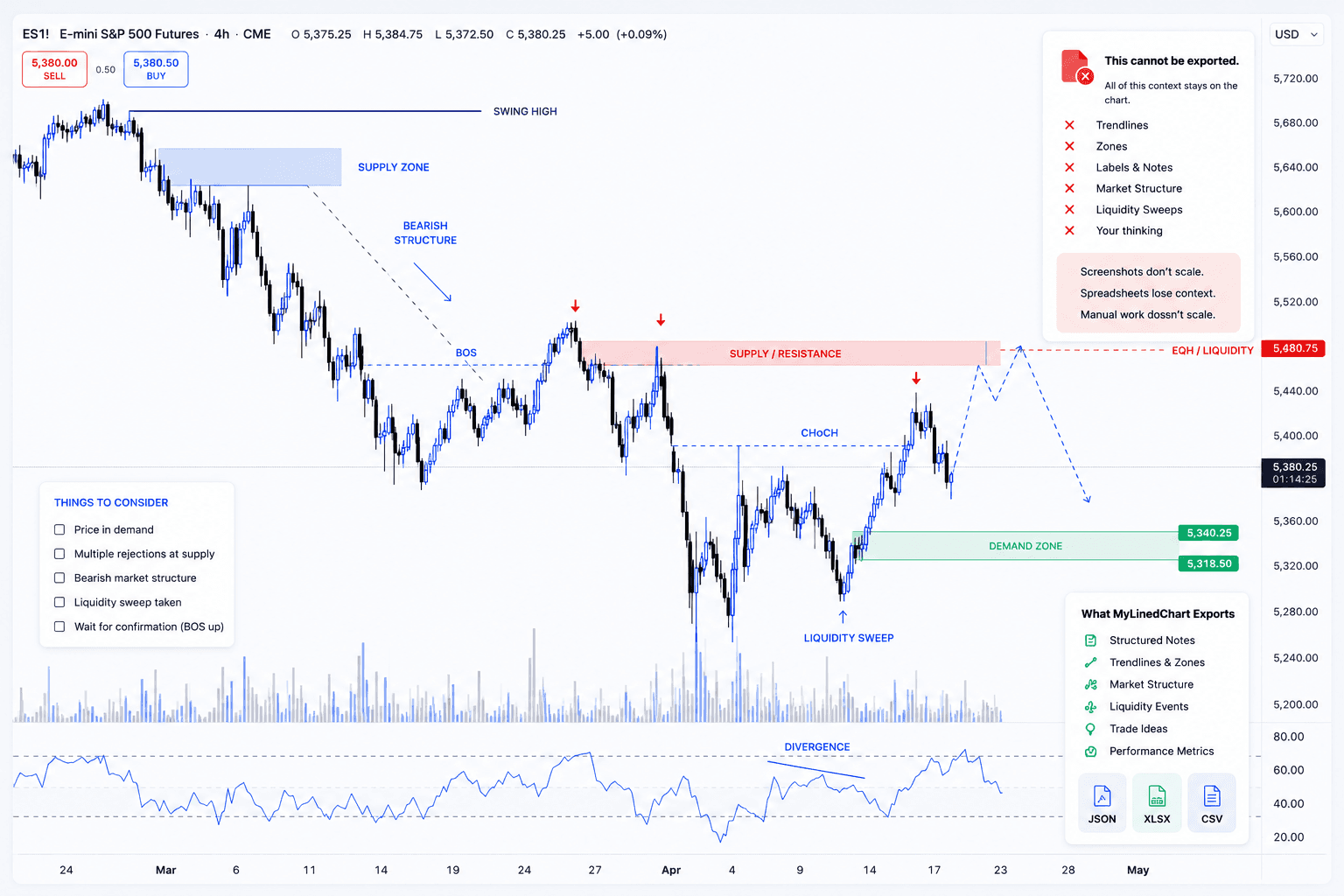
Structured Inputs
The point is not another chart screenshot. The point is a structured record of what you saw, what you marked, and what needs to be reviewed later.
Trendlines, callouts, markers, and visual annotations preserved as part of the source record.
Support, resistance, risk areas, targets, and working zones captured for later review.
Setup thinking, hypotheses, reminders, and review comments kept with chart context.
Indicator context and chart state carried alongside the visual work you need to inspect.
Ticker, market context, timeframe, and session details kept attached to the record.
Reusable fields planned for journals, dashboards, research notes, and custom workflow systems.
Structured Workflow
The workflow starts with the way traders already mark up charts, then preserves that work as fields that can be reviewed, exported, and reused.
Workflow Outputs
Use structured exports for journals, dashboards, research notes, automation planning, and AI-assisted workflow review.
Structured chart context for AI-assisted review, workflow logic, dashboards, and custom tools.
Readable workbook exports for journals, reviews, spreadsheets, and research handoffs.
Compact table exports for analysis, dashboards, imports, and repeatable workflow checks.
Readable for you.
Download .xlsx ExampleStructured for AI.
Download JSON ExampleLoading sample...AI-Assisted Review
When chart context is structured, AI coding tools can inspect fields, summarize review patterns, draft workflow logic, and help build tools around your process. You stay in control of trading decisions.
Explore AI-Readable WorkflowsInspect structured fields instead of screenshots
Summarize recurring review patterns
Draft workflow logic around your process
Help build dashboards, journals, and custom tools

IBKR Workflows
For IBKR traders, MyLinedChart can help organize chart notes, levels, exports, and workflow handoffs before building custom automation or integration systems.
Chart notes and levels
Export schema planning
Journal and dashboard handoffs
Codex or Claude Code workflows
Custom workflow documentation
Data Sources
Use MyLinedChart as the structured chart-work layer across broker and market-data workflows.
 Alpaca
 Bybit
Bybit FMP
FMP IBKR
IBKR Schwab (Coming Soon)
 Massive (Polygon)
 Finnhub
 Twelve Data
 Alpha Vantage
 EODHD
EODHD Marketstack
Trading Workflow Guides
Focused guides for journaling, automation planning, risk review, and execution quality.
Turn chart context into records that can be reviewed after the session ends.
Plan structured handoffs before trying to automate a trading workflow.
Keep levels, zones, and review status visible when building process checks.
Use structured review fields to make execution review easier to compare.
Start Cleaner
Capture chart context once. Reuse it for review, journaling, exports, AI workflows, and custom systems.