Data Providers

Sifting

Connect Sifting to MyLinedChart with your own credentials, chart the data, mark the chart up, and export your analysis as XLSX, CSV or JSON.

Quick Facts

What you provide
An API key
How the connection works
Directly in the app, no extra process to run
Where your credentials live
On your device, never on our servers
Trading
Read only. MyLinedChart never places, modifies or cancels an order.
  • Connect Sifting with your own credentials. You provide an api key, and the credentials stay on your device rather than being sent to us.
  • Draw your levels, zones and notes on Sifting data, and they stay attached to the chart with their dates and prices.
  • Export the whole chart as XLSX, CSV or JSON, with drawings, notes, indicator values and bars carried out together.
  • Hand the live Sifting chart to an AI agent you already use, including Claude, Codex, Cursor and GitHub Copilot in VS Code.
Set up Sifting

You need a Sifting account with an API key. No brokerage account is involved.

Cost: Sifting sets the price. A key whose plan leaves out a market gets a 403 for that market until the plan is changed.

  1. Sign up at sifting.io.
  2. Open your dashboard and generate an API key.
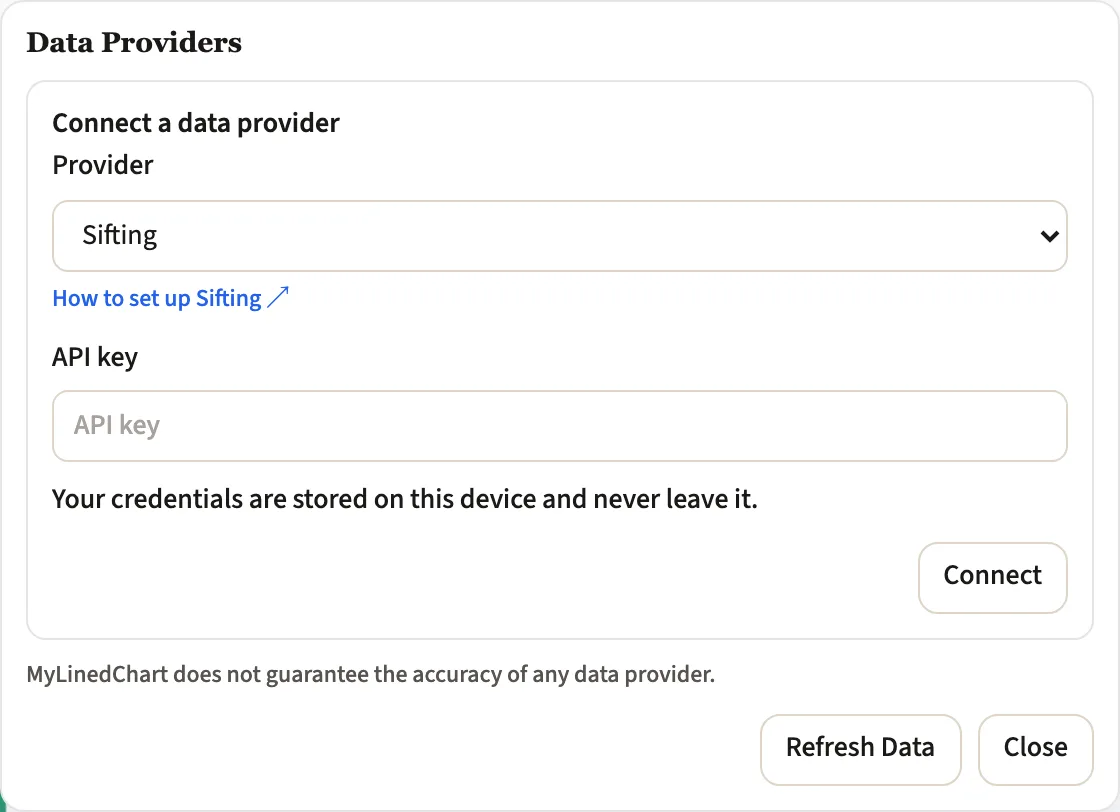
  3. In MyLinedChart, open Data Providers, choose Sifting, paste the API key and click Connect.
MyLinedChart Data Providers panel with Sifting picked, showing the fields to fill in
Data Providers in MyLinedChart with Sifting picked.

How long the access lasts: Sifting does not list an expiry. Generate a new key from your dashboard if it stops working.

Good to know

  • One connection covers US stocks, forex, crypto and commodities. Type a name in the symbol box and pick a result, or start a symbol with STOCKS:, FOREX:, CRYPTO: or COMMODITIES:. A bare ticker means a US stock.
  • Long ranges are fetched in several requests of up to 1000 bars each. Intervals run from 1 minute to 1 month.
  • Too many requests return a 429 with a wait time in seconds.

Sifting developer documentation

Next Steps