Notes
Attach the reasoning behind a setup so post-session review does not depend on memory.

Australia · Technical Analysis
Charting and technical analysis for Australian Interactive Brokers traders, draw your levels, export them as structured data, or let AI draw them on your live chart for you.
Just tell your AI agent :
“Draw a rising support line from the January low to the May low labeled 'Higher lows', and add a resistance line at the 185.59 high.”
What Gets Captured
The point isn't another screenshot, it's a structured record of what you marked on ASX or US charts, and why, that still makes sense at review time.
Attach the reasoning behind a setup so post-session review does not depend on memory.
Keep important prices, zones, and invalidation areas tied to the chart record.
Keep your drawn lines and notes as part of your trade review, ready to export as data.
Make annotations readable for later review, export, and structured handoff.
Prepare chart context for journals, AI review, spreadsheets, and internal workflow systems.
Support broker-oriented and custom-system processes that need clean chart records.
Keep CGT-event context, the June 30 EOFY cut-off, and franking-credit notes as structured fields in the chart record, ready for your journal or accountant handoff.
Built for Australian Review Loops
AU traders work across two clocks. MyLinedChart keeps notes and levels attached across both so nothing gets lost between sessions.
Mark up the US regular session as it runs overnight in AEST/AEDT; the markup and reasoning are still there when you review the next morning.
Capture ASX setups, levels, and notes during the local session as records you can compare across days, not screenshots you lose.
Keep US and ASX chart work in the same structured format so review and journaling don't fragment by market.
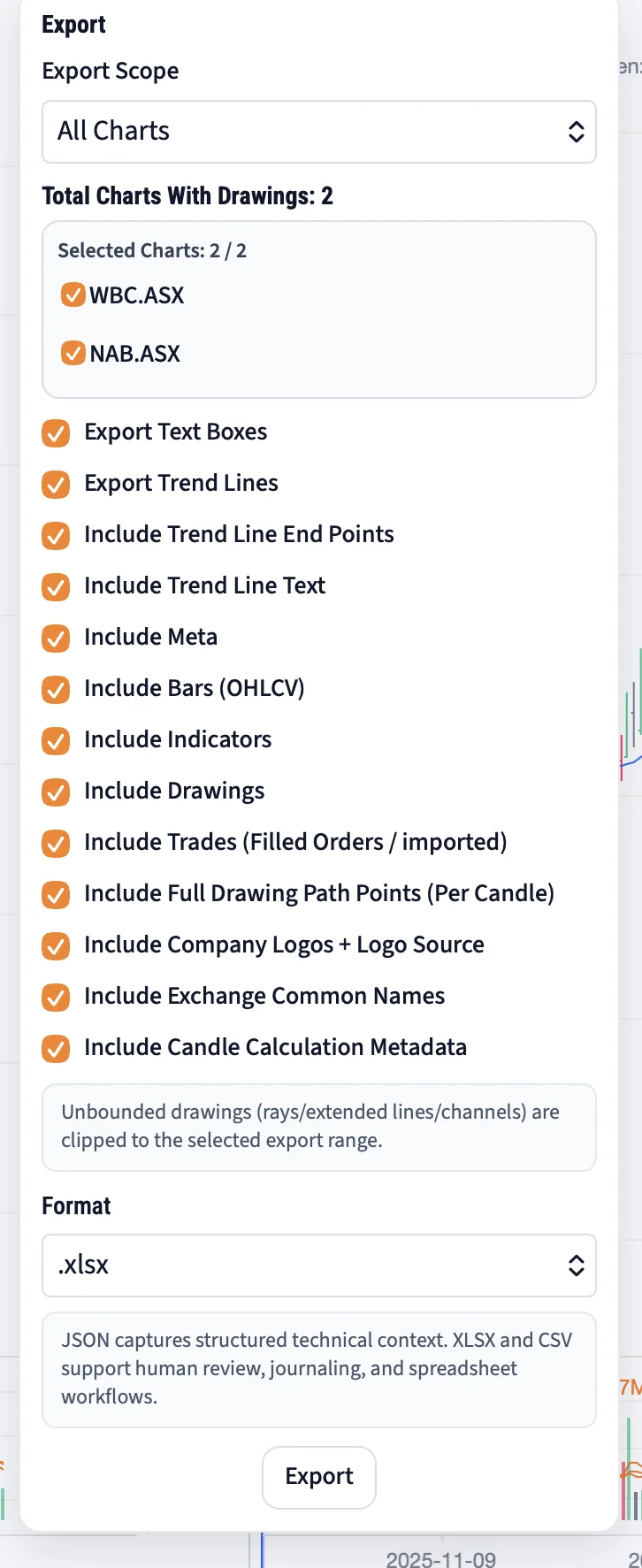
Export clean fields for journals, dashboards, AI review, or a broker or custom-system build, without manual re-keying.
AUSTRALIA GUIDES
These guides focus on review workflow, data-provider diligence, and export limits. They do not recommend trades, brokers, securities, or market-data providers.
Preserve levels, notes, invalidation context, and review questions instead of relying on screenshots alone.
TradingView Drawing Export LimitsCheck which annotations survive outside the charting tool before relying on exports for review.
ASX Market Data and Broker ChecklistEvaluate coverage, timing, history, entitlements, and workflow fit before building around a provider.
Your broker, your keys
Connect the account you already have. Your credentials are stored on your device and are sent only to the provider you chose, never to MyLinedChart.
IBKR, TRADINGVIEW, AND AI REVIEW
Use these focused guides to connect IBKR Australia workflows, TradingView export checks, AI-readable chart review, broker API readiness, and structured ASX or US market journaling.
Separate broker access, market data, chart markup, exports, and review records before automation.
IBKR Australia vs Alpaca vs Tradier API FitCompare broker API workflow fit by market access, data permissions, symbols, and controls.
US Market Workflow From AustraliaKeep time zones, session context, exports, and chart records clear for US market review.
TradingView Data Window CSV Export LimitsCheck what CSV exports preserve and what chart context must be captured separately.
AI-Readable Chart Review WorkflowPrepare notes, levels, labels, sessions, and exports for AI-assisted workflow review.
Codex Prompt Template for AU Broker DataUse a conservative prompt pattern for broker-data, chart-context, and provider-boundary checks.
Claude Code Chart Notes Review WorkflowUse Claude Code to inspect missing fields, labels, export assumptions, and data-lineage notes.
Broker API Readiness ChecklistValidate permissions, data access, symbol mapping, rate limits, exports, and review controls.
Structured Chart Journal for ASX and US TradesBuild one journal structure that still separates ASX, US, session, and local review context.
Worked Example
Levels and zones drawn before the open, then exported as data, on Australian markets. It is the workflow this page describes, published as it happens rather than described in the abstract.
STARTING PATHS
Start with pricing if you're evaluating MyLinedChart as a review layer. Start with the Connector to see how it links to your own broker session locally.
Pricing
Review the plan and AUD pricing before you change the workflow.
View PricingThe Connector
MyLinedChart connects to your own broker or data provider, Interactive Brokers, Schwab, Alpaca and more, using your own keys, which stay on your device, your data stays local and private.
See how it connectsTrading-rules consulting
Chart notes, exports, journaling, overnight-US/ASX handoffs: we help you turn them into repeatable trading rules. Free 30-minute scoping call; scoped, documented work.
Explore consultingReviewable Chart Work
If your process spans overnight US sessions and the ASX day, MyLinedChart gives that chart work a structured place to live.
BOUNDARIES
Plain answers on scope, data, and what this is not, for Australian traders.
No. MyLinedChart is global software from Little Bird Trading LLC. This page is an Australia-focused workflow entry point, not a claim of a local Australian office or local support team.
No. MyLinedChart helps capture, structure, export, and review chart context. It does not provide investment, trading, tax, legal, visa, citizenship, or financial advice.
No. Market-data coverage depends on the provider, account, region, exchange entitlements, symbol availability, and workflow setup used by the trader.
No. MyLinedChart does not place trades automatically. Broker or custom-system workflows require the trader's own review, implementation controls, provider permissions, and risk management.
No. The pricing link requests AUD where available, but final billing behavior, taxes, exchange rates, payment processing, broker costs, and market-data fees depend on the active checkout and provider setup.
You can capture CGT-relevant context and the EOFY date as structured fields in your chart records. It is not tax software and does not provide tax advice, use it for your own records or an accountant handoff.
Yes, chart markup, notes, and levels stay attached to the record across sessions, so US work done overnight in AEST is intact when you review the next morning. It does not stream market data or place trades.
DISCLAIMER
MyLinedChart is global software with Australia-focused workflow guidance. It does not provide investment advice, trading recommendations, broker recommendations, ASX market-data guarantees, provider guarantees, AUD checkout guarantees, local Australia office claims, or automatic trading capability. It is not ASIC-licensed and makes no advisory claim. Market access, data availability, pricing behavior, and broker compatibility depend on the user's provider, account, entitlements, region, and checkout configuration.