Data Providers
Upstox
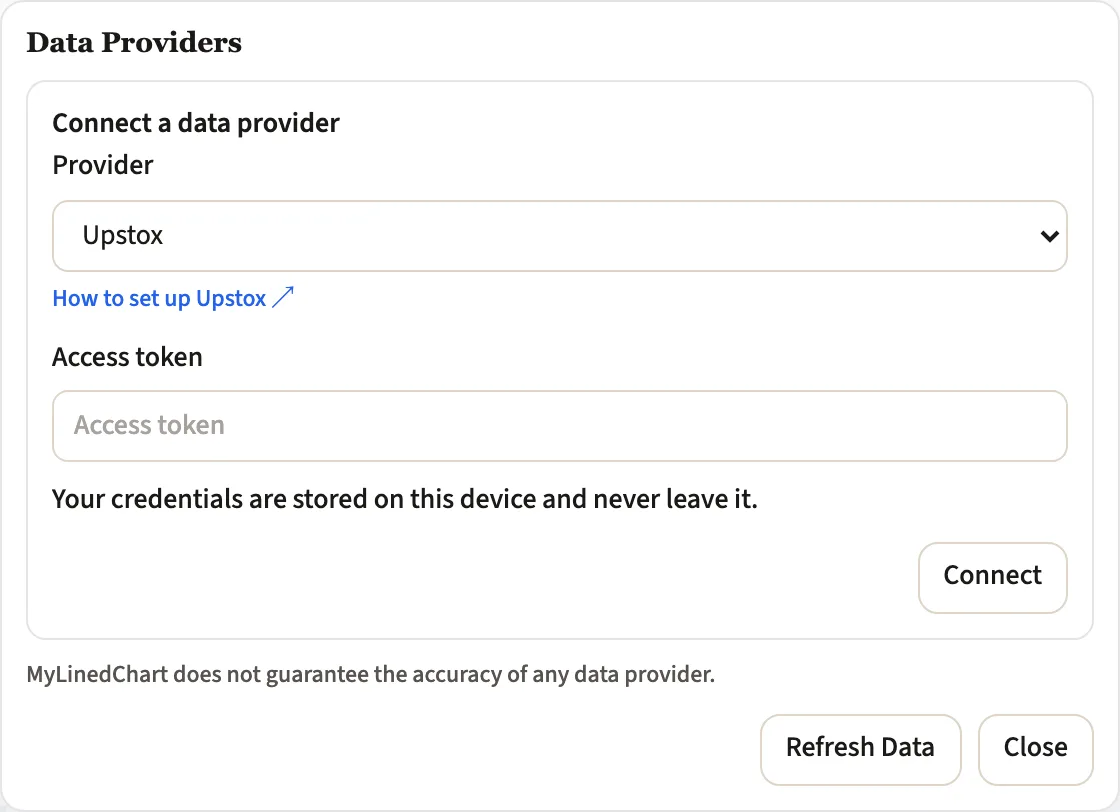
Connect Upstox to MyLinedChart with your own credentials, chart the data, mark the chart up, and export your analysis as XLSX, CSV or JSON.
Quick Facts
- What you provide
- An access token
- How the connection works
- Directly in the app, no extra process to run
- Where your credentials live
- On your device, never on our servers
- Trading
- Read only. MyLinedChart never places, modifies or cancels an order.
- Connect Upstox with your own credentials. You provide an access token, and the credentials stay on your device rather than being sent to us.
- Draw your levels, zones and notes on Upstox data, and they stay attached to the chart with their dates and prices.
- Export the whole chart as XLSX, CSV or JSON, with drawings, notes, indicator values and bars carried out together.
- Hand the live Upstox chart to an AI agent you already use, including Claude, Codex, Cursor and GitHub Copilot in VS Code.