
Article
Export Your Indicator as Pine Script
MyLinedChart's indicator editor exports any custom indicator as a Pine Script v5 file you can paste into TradingView, alongside the existing JSON export. Plots, signal markers and background shading carry across, weekly and monthly forms become request.security calls, and the file says Shared from MyLinedChart. If the indicator uses something Pine cannot express exactly, the editor names it and writes no file, instead of exporting a script that quietly behaves differently.

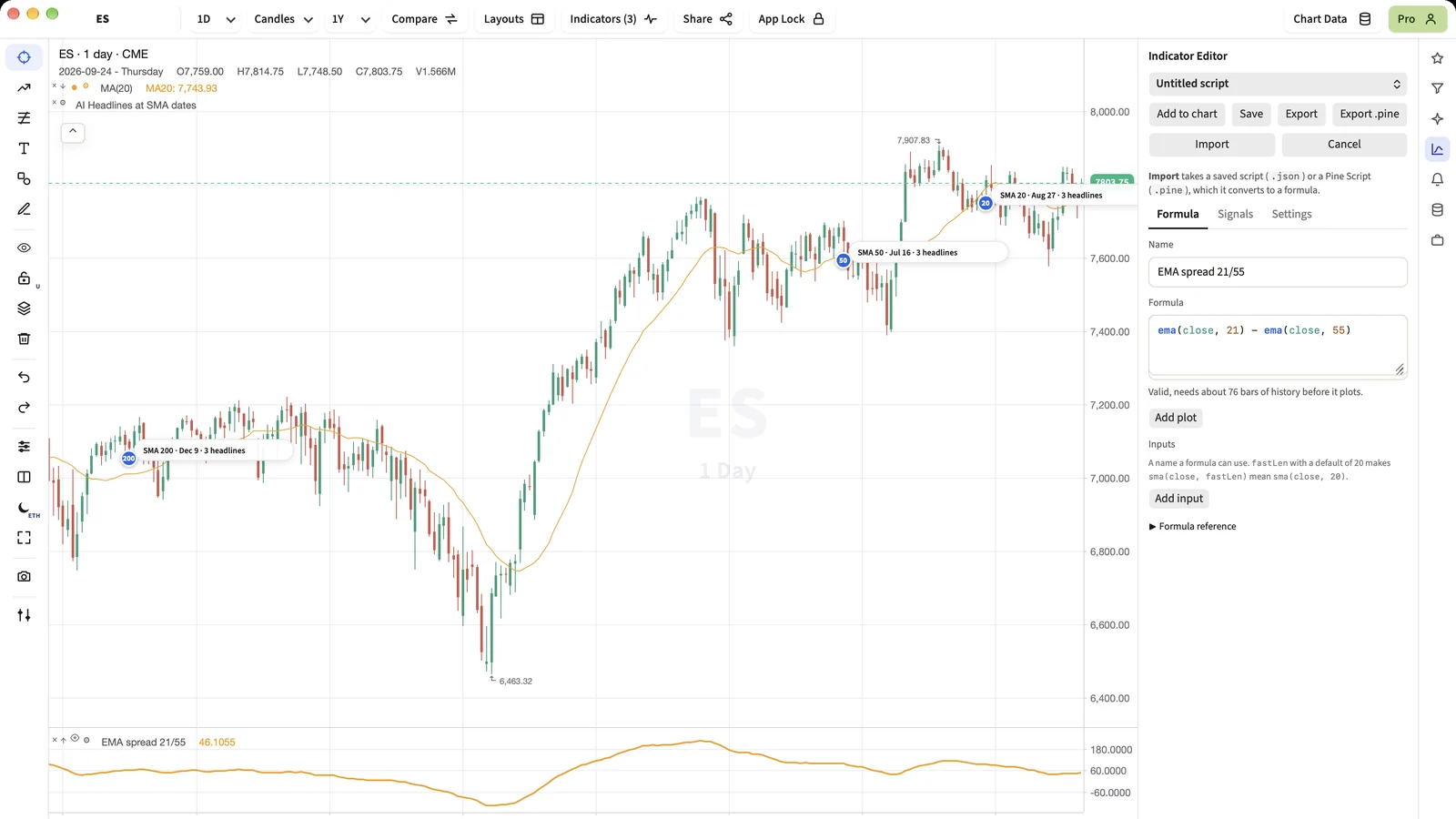
An indicator is only as useful as the number of places you can run it. Export .pine turns a MyLinedChart indicator into a TradingView script, and it refuses rather than guesses when a piece cannot be translated exactly.
Short Answer
Open the indicator in the editor and choose Export .pine. You get a Pine Script v5 file ready to paste into TradingView's Pine editor. If a part of the indicator cannot be written exactly in Pine, the editor tells you which part instead of exporting something that behaves differently.
What carries across
- The main formula and every extra plot, with their names and colours.
- Signal markers, as up or down triangles above or below the bar.
- Background shading, as bgcolor with transparency.
- sma, ema, wma, rsi, stdev, highest, lowest and sum, as their ta and math equivalents.
- ref(x, n), as x[n].
- Weekly and monthly forms, as request.security on W or M.
What it refuses
hold, pm and pmw depend on how MyLinedChart carries state across bars, and Pine has no function that does exactly the same. Rather than approximate, the export stops and names the part. Inputs are written with their current values.
Round trip
The sample Pine script on our homepage converts into MyLinedChart and back into Pine to the same formula. That is the test the exporter is held to.
Next Step
Export one of your indicators, paste it into TradingView, and compare the two charts on the same symbol and timeframe. The values should match bar for bar.
FAQ
Which Pine version does it write?
Pine Script v5.
Why did the export refuse my indicator?
It uses hold, pm or pmw, which have no exact Pine equivalent. The message names the part so you can decide what to change.
Can I import Pine into MyLinedChart too?
Yes. Import in the same editor converts a .pine file into a MyLinedChart formula and reports anything it cannot convert.
Sample Structured Chart-Data Exports
Review how chart drawings, annotations, OHLC, volume, and execution context become reusable structured data.