
Article
IBKR Connector: Free Port and Auto-Reconnect
On the Mac and Windows direct downloads, the MyLinedChart IBKR Connector links the app to TWS or IB Gateway on your own machine. From version 1.0.59 it picks a free port by itself when another program holds its usual one, and it checks its link to TWS or IB Gateway on a timer and reconnects on its own.

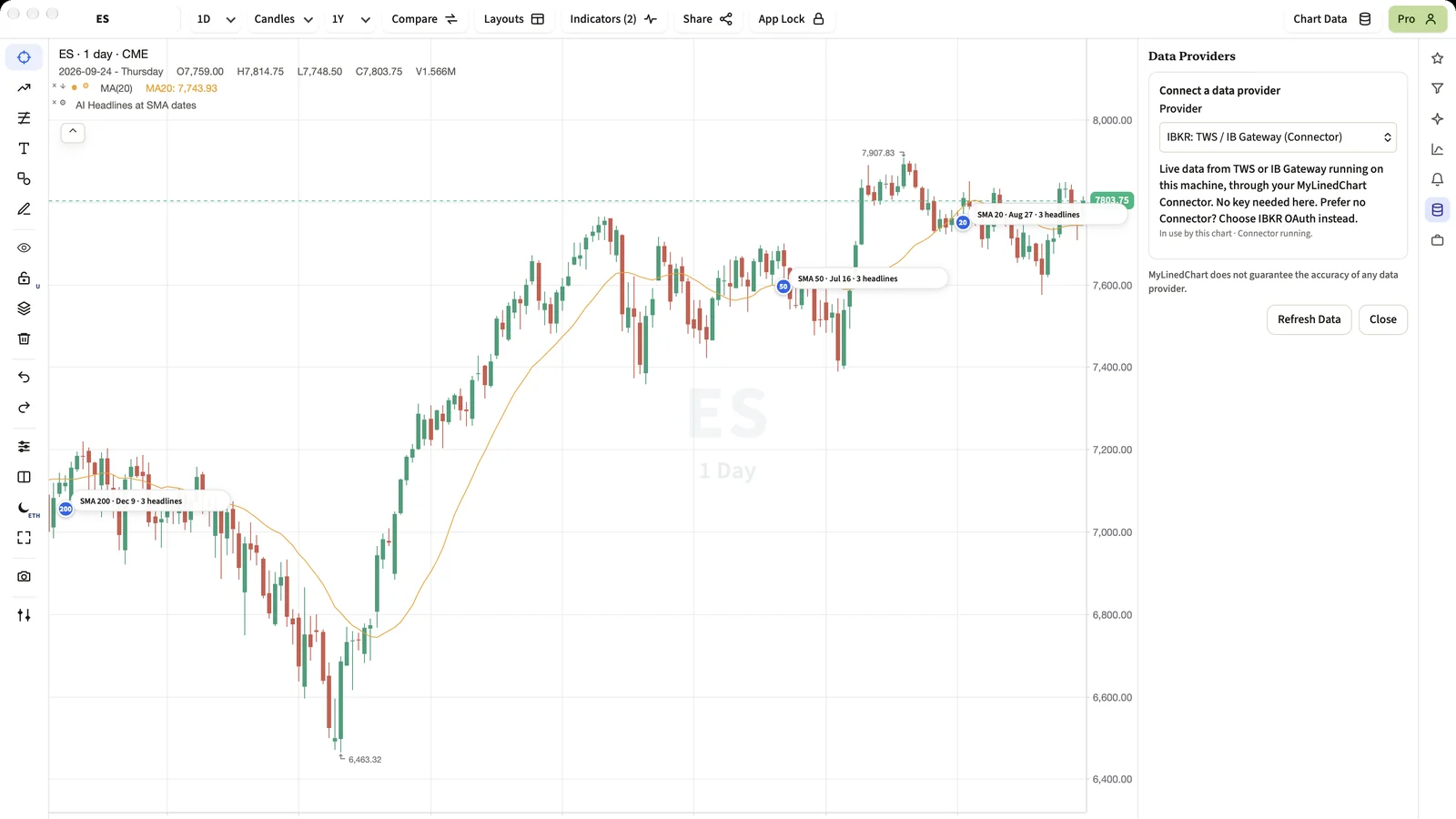
The IBKR Connector is the small piece of MyLinedChart that talks to TWS or IB Gateway on your computer. Two things used to need your attention: a port another program had already taken, and a lost link to TWS after IBKR's nightly restart. In 1.0.59 the Connector handles both by itself.
Short Answer
Start TWS or IB Gateway, then open MyLinedChart. If the Connector's usual port is busy, it takes the next free one and the app follows it. If TWS or IB Gateway restarts, the Connector notices and reconnects. You do not need to change any setting for either.
What the Connector Is
IBKR's desktop software, TWS and IB Gateway, lets other programs on the same computer read market data and account details. The Connector is MyLinedChart's link to that. It runs on your machine at 127.0.0.1, so nothing passes through a MyLinedChart server.
On a Mac the Connector is its own small app, MyLinedChart Connector, that you leave running. On Windows the Windows Installer carries it, and MyLinedChart starts it when the app opens. The Connector reaches TWS or IB Gateway on the socket port set in Chart Data, 4001 by default, which is IB Gateway's usual port for a live account.
Picking a Free Port
The Connector itself also needs a port, so the app can reach it. Its usual one is 8765. Some other tools use that number too, and before 1.0.59 a clash meant the Connector could not start until you found and closed the other program.
Now the Connector checks first. If 8765 is taken by another program, it uses the next free port between 8766 and 8785 and writes down the one it chose. MyLinedChart reads that note on every request, so it finds the Connector on the new port straight away, even after a restart on a different port.
- A program that is not MyLinedChart is never touched. The Connector simply moves around it.
- If an old copy of the Connector was left behind by a crash, the Connector stops that copy first, because TWS would otherwise refuse the new link.
Reconnecting to TWS or IB Gateway
TWS and IB Gateway restart once a day, and a laptop can sleep or change networks. The Connector checks its link to TWS or IB Gateway on a timer, every 30 seconds by default, and reconnects as soon as TWS or IB Gateway is back.
On a Mac the Connector window has a setting called Reconnect to TWS / IB Gateway, with Every 15 seconds, Every 30 seconds, Every minute, Every 2 minutes and Only when the chart asks. The change takes effect without restarting anything.
Which Versions Have It
Both changes come with version 1.0.59 of the Mac Installer and the Windows Installer. The Mac App Store and Microsoft Store editions, iPhone, iPad and Android connect to IBKR with your own IBKR sign-in, which needs no Connector. For both ways in, see Built for IBKR First: TWS, IB Gateway and IBKR Sign-In.
FAQ
Do I need to change a port setting after the Connector moves?
No. The Connector records the port it chose, and MyLinedChart reads it on every request.
Does the Connector work with the Mac App Store or Microsoft Store edition?
No. The Connector is part of the Mac Installer and the Windows Installer only. The store editions connect to IBKR with your own IBKR sign-in instead.
Can the Connector place orders?
No. MyLinedChart is read-only and has no order function. The Connector reads charts, positions, trades and news.
Sample Structured Chart-Data Exports
Review how chart drawings, annotations, OHLC, volume, and execution context become reusable structured data.