
Article
Built for IBKR First: TWS, IB Gateway and IBKR Sign-In
Interactive Brokers was the first broker MyLinedChart was built for, and it is still the deepest connection. On the desktop app, MyLinedChart reads charts, positions, trades and news from TWS or IB Gateway through the MyLinedChart Connector on your own machine. On iPhone, iPad, Android and the store editions it connects with your own IBKR sign-in. It works alongside IBKR's platform rather than replacing it: IBKR stays where you trade, MyLinedChart is where you mark up, export and ask your AI about the chart.

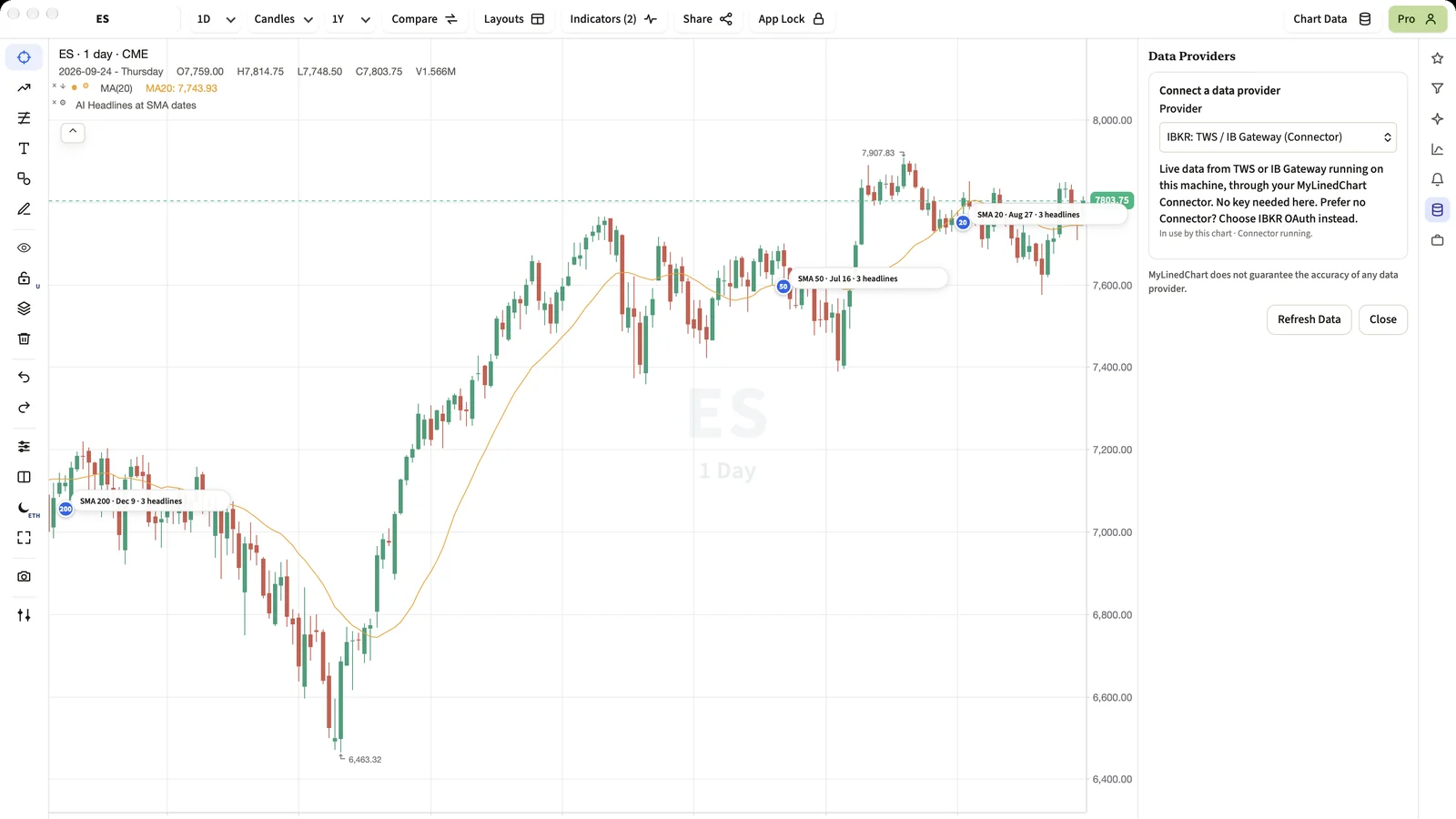
MyLinedChart began as a way to get Interactive Brokers chart work into a form you could export and hand to an AI. It now supports many brokers, but IBKR is still where the connection goes deepest.
Short Answer
On a Mac or Windows PC, run TWS or IB Gateway and the MyLinedChart Connector, then pick IBKR in Chart Data. On a phone or a store edition, choose IBKR and sign in with your own IBKR credentials. Either way your data stays between your device and IBKR.
Two ways in
- TWS or IB Gateway plus the Connector: for desktop users who already run IBKR's software. Includes positions, trades and news.
- IBKR sign-in: for iPhone, iPad, Android and the Mac App Store and Microsoft Store editions, where the Connector does not run.
What you get on the chart
- Candles for stocks, futures and other instruments your IBKR account can chart, shown in each market's own time zone.
- Your open positions in the Positions panel, and optionally as dashed average-entry lines.
- Your executed trades as markers on the bars they happened on.
- Headlines from your IBKR news subscriptions, when you have them.
Working alongside IBKR
IBKR's platform is where you place and manage orders, and MyLinedChart does not try to replace it. MyLinedChart is where you draw your levels, keep notes, export the whole chart as data, and let the AI you already use read and mark up the chart with you.
Next Step
Start IB Gateway or TWS, open MyLinedChart, choose IBKR in Chart Data, and load a symbol you trade. Then open the Positions panel to see your book beside it.
FAQ
Does MyLinedChart need IBKR's paid API?
No. On desktop it uses the TWS or IB Gateway you already run. On phones it uses your own IBKR sign-in.
Can MyLinedChart place orders on my IBKR account?
No. It is read-only and has no order function.
Does my data go through MyLinedChart's servers?
No. The Connector runs on your machine and the sign-in connects your device directly to IBKR.
Sample Structured Chart-Data Exports
Review how chart drawings, annotations, OHLC, volume, and execution context become reusable structured data.