
Article
Alpaca vs IBKR API for Automation (and Tradier): Costs and Limits
Compare IBKR vs Alpaca vs Tradier by workflow fit: market access, automation, order handling, data, and review evidence for technical traders.

For automation, Alpaca offers a cloud REST and WebSocket API for US stocks with $0 commissions for retail customers and a free IEX data tier, while IBKR offers a broader multi-market API that runs through TWS or IB Gateway, with per-share commissions on IBKR Pro and per-exchange data fees. Neither charges for API access itself. The table below compares the costs from each broker's own pages, checked 7 October 2026; the rest of the page covers which workflow each stack fits, and where Tradier sits for options-heavy work.
Alpaca vs IBKR API Costs at a Glance
These are the published retail figures. They change, so confirm them with each broker before you build. MyLinedChart connects to both from one provider dropdown and never places, modifies or cancels an order; download it from Download MyLinedChart.
| Alpaca | IBKR | |
|---|---|---|
| API access | $0 | $0 (TWS API or Client Portal API) |
| US stock commission | $0 for retail customers | IBKR Pro Fixed $0.005 a share ($1.00 minimum); IBKR Lite $0 |
| Free market data | IEX feed, 200 API calls a minute, 30 streaming symbols | Delayed data, 15 to 20 minutes |
| Paid market data | Algo Trader Plus, $99 a month: all US exchanges, unlimited API calls | Per exchange: $10 a month US bundle (waived at $30 in commissions) plus $4.50 a month streaming add-on, or $1.50 a month per Level 1 feed |
| How you connect | Cloud REST and WebSocket | Local TWS or IB Gateway session, or the Client Portal API |
Quick Answer
Choose IBKR if you need broad market access, advanced order handling, and deeper execution controls. Choose Alpaca if you want a clean US-equities API for prototyping and paper trading. Choose Tradier if your workflow is options-heavy and you want a simpler brokerage API surface.
The right answer depends on the workflow you need to operate. Before choosing, define the markets, order behavior, review fields, data source, and human QA checks your system must preserve. If the IBKR path includes AI-assisted chart-data work, use Using Codex or Claude Code With IBKR Chart Data so prompts and review gates are part of the API decision.
| API Stack | Best Fit | Main Tradeoff |
|---|---|---|
| IBKR | Multi-asset traders, advanced order routing, international access | More setup friction and more operational detail to manage |
| Alpaca | US-equities builders, paper trading, clean API prototyping | Narrower market coverage than a full institutional-style broker stack |
| Tradier | Options-focused traders and simpler brokerage API workflows | Less broad as an all-purpose trading infrastructure layer |
What You Are Really Choosing
A broker API carries your orders and becomes part of your operating process. It decides what data you can request, how orders are represented, how errors surface, how fills are reconciled, and how much work it takes to audit what happened after the session.
That matters because technical traders usually lose quality in the handoff between chart analysis and execution. The chart idea may be clear, but the order path, data model, and review trail can still create avoidable errors.
- Can the API support the markets and instruments you actually trade?
- Can you inspect rejected, partial, delayed, or modified orders without guessing?
- Can your review process compare planned chart context against actual order behavior?
- Can you start small without building a fragile system you will need to replace later?
Comparison Matrix
Use this IBKR vs Alpaca vs Tradier matrix as a first-pass fit check. It is not a final vendor decision. It tells you where to spend your testing time before you commit a workflow to one stack.
| Fit Area | IBKR | Alpaca | Tradier | Schwab |
|---|---|---|---|---|
| Market access | Best fit when you need broad instruments and global reach | Best fit for US equities-focused builds | Best fit when options workflows are central | US equities, options, ETFs; retail-oriented |
| Build speed | Slower initial setup, more moving parts | Fastest for clean prototypes | Generally simpler than a broad multi-asset stack | Moderate; TDA migration path for prior users |
| Order control | Strong for advanced routing and detailed execution workflows | Good for straightforward equity order workflows | Good for options-oriented brokerage workflows | Good for standard equity and options orders |
| Operational burden | Highest learning curve | Lowest initial friction | Moderate, depending on options workflow complexity | Moderate; sandbox available; auth/versioning evolving |
| Automation fit | Strong when automation needs mature order state and account detail | Strong when automation needs quick US-equities iteration | Strong when automation centers on options workflows | Good for retail-oriented equity/options automation |
| Review workflow | Strong if you preserve order and context data carefully | Good if your schema is simple and consistent | Good if you keep options context explicit | Depends on how fill and order state are preserved |
IBKR vs Alpaca
The IBKR vs Alpaca choice usually comes down to reach versus simplicity. IBKR makes more sense when your workflow needs multiple asset classes, broader market access, advanced order handling, or a path toward a serious execution stack. Alpaca makes more sense when your first build is a US-equities prototype and you want cleaner developer ergonomics.
The tradeoff is operational burden. IBKR can support more complex workflows, but you need to document account permissions, data subscriptions, connection behavior, order states, and reconciliation. Alpaca can help you move faster early, but you should verify whether the narrower market scope fits the system you ultimately want.
If your stack evaluation includes an IBKR Codex workflow, compare the API choice with Using Codex or Claude Code With IBKR Chart Data so chart exports, field definitions, prompts, and review gates are part of the decision.
- Choose IBKR when market breadth and order-state detail matter most.
- Choose Alpaca when a clean US-equities prototype matters most.
- Test both with the same setup, symbol list, order type, and review fields before deciding.
Alpaca vs Tradier
Alpaca vs Tradier usually comes down to cost model and instrument focus. Alpaca charges no commission on US stocks, ETFs and options and sells data as a plan: the free plan carries IEX quotes and an indicative options feed, and Algo Trader Plus at $99 a month adds the full SIP and OPRA feeds. Tradier sells the brokerage as a plan: Lite has no monthly fee and charges $0.35 per stock trade and per option contract, Pro is $10 a month with $0 stock trades and $0 equity and ETF options, and Pro Plus is $35 a month with index options at $0.10 a contract. API access is included on every Tradier plan.
For a US-equities prototype with paper trading and fast iteration, Alpaca is usually the cleaner start. For an options-heavy workflow that trades often, Tradier's flat monthly plans can cost less than paying per contract. Tradier also lists futures on its plans, from $0.25 to $1.50 a contract depending on plan and contract size.
Do not choose either only because the first demo feels easy. The test is whether the API can preserve the order context, position context, and review fields your process needs after the trade is over.
| Cost | Alpaca | Tradier |
|---|---|---|
| API access | $0 | $0 on every plan |
| Monthly fee | $0 (data plan $99 a month optional) | Lite $0, Pro $10, Pro Plus $35 |
| US stocks and ETFs | $0 commission | Lite $0.35 a trade, Pro and Pro Plus $0 |
| Equity and ETF options | $0 commission | Lite $0.35 a contract, Pro and Pro Plus $0 |
| Index options | Not listed | $0.35 a contract (Pro Plus $0.10) |
| Futures | Not offered | $0.25 to $1.50 a contract by plan |
| Market data | Free IEX and indicative options; SIP and OPRA $99 a month | Included with the account |
- Alpaca fits simple US-equities prototypes and fast iteration.
- Tradier fits options-heavy brokerage workflows, with flat monthly plans.
- Both require a review schema before automation is scaled.
Market Data Tiers: What Each Feed Costs and Where It Differs
Data access is the dimension most often skipped when comparing broker APIs, and it is the one most likely to invalidate a backtest. Alpaca runs two tiers. The free tier is IEX-sourced, covering a single exchange and consolidating quotes differently from the full national feed. The paid tier, $99 a month, delivers the consolidated SIP feed across all US exchanges.
That distinction is not academic. IEX data is adequate for many swing and position strategies, but it can diverge from SIP quotes on fast-moving names at precisely the moments a precision entry model cares about. If your strategy is price-sensitive at the execution layer, test against SIP rather than IEX, or you will produce backtests that look better than the strategy is.
Tradier provides real-time quotes, options chains, historical bars and Level 1 streaming to accounts with the applicable subscription, bundled with the brokerage account rather than sold as a separate data tier. IBKR licenses data per exchange and per subscription, which is what makes it the deepest of the three and also the one where cost is hardest to predict before you build.
Confirm all three directly with the broker. Market-data pricing and entitlement terms change more often than any other field in this comparison.
- Alpaca free tier is IEX; the consolidated SIP feed is roughly $99/month.
- Backtest against the feed you will execute on, or the results will flatter you.
- Tradier bundles data with the account; IBKR licenses it per exchange.
IBKR vs Tradier
IBKR vs Tradier is usually a depth-versus-focus comparison. IBKR is broader and more operationally detailed. Tradier is narrower, but it can be a better fit when options workflow clarity matters more than global market breadth.
If your process depends on spreads, expirations, deltas, position adjustments, or order repair logic, your review schema has to capture those details cleanly. The broker API should make those records easier to audit, not harder to reconstruct.
- Choose IBKR when the stack needs broader market reach and more execution detail.
- Choose Tradier when options workflow fit is the primary test.
- Compare order-state visibility, position data, and post-trade review quality before choosing.
Best API for Automation
The best API for automation is the one that preserves control when the workflow gets boring, busy, or stressed. Fast setup is useful, but automation also needs clear order states, reliable error handling, replayable logs, and human review points.
For a technical trader, automation should start with one small loop: chart setup, planned order, routed order, order result, error handling, and post-trade review. If that loop is ambiguous, the API is not ready for scale even if the documentation looks clean.
- Define the order states your workflow must track.
- Log rejected, partial, modified, and canceled orders.
- Preserve the chart reason that existed before the order was sent.
- Review one narrow workflow before expanding symbols, order types, or markets.
Best API for Technical Traders
Technical traders should choose the API that best preserves chart intent. A useful stack does more than send orders. It helps connect levels, notes, setup labels, trigger logic, order behavior, and review evidence.
A broker comparison should include chart-data workflow along with broker features. Use Using Codex or Claude Code With IBKR Chart Data if you need a field checklist for IBKR-oriented chart exports, and use Broker API Data vs Execution Data: Why Retail Trading Systems Need Both when the workflow needs to separate research data from execution records.
- Can the stack preserve the reason for the trade?
- Can the stack separate chart context from execution data?
- Can the stack produce review records that are useful after the session?
- Can the stack support a human approval step before scale?
Stack-Fit Checklist
Before you choose, test one actual workflow end to end. Do not compare APIs only by reading documentation. Compare what happens when a chart setup becomes a planned order, the order is routed, the result is logged, and the trade is reviewed.
Where MyLinedChart Fits
MyLinedChart sits before and after the broker API. Before the order, it helps preserve the chart context: levels, drawings, notes, symbols, timeframes, and the setup reason. After the order, that context gives your review process something concrete to compare against actual execution.
That is the missing layer in many API projects. The broker can tell you what order was sent. It usually cannot explain the chart decision the trader thought they were acting on unless you preserve that context yourself.
Next Step
If you are choosing between IBKR, Alpaca, and Tradier, start by writing your workflow requirements in plain language. Then test one narrow path from chart setup to order review.
Use IBKR Automation & Integration if you want the broader IBKR workflow map. If IBKR is still the likely stack after that check, use Using Codex or Claude Code With IBKR Chart Data to plan the structured chart-data, prompt, and human-review side before building around the API.
Where Does Tradier Fit vs IBKR and Alpaca?
Tradier is the most focused of the three. It is a developer-first REST API built around US equities and options, with OAuth authentication and a narrower surface area that many builders find easier to reason about for options-centric workflows, without the institutional overhead IBKR requires.
If your strategy depends on options chains, single-leg positions, or spreads, Tradier's API surface is cleaner than IBKR's for those specific patterns. You get brokerage mechanics without the permissioning layers, connection management, and data-subscription complexity of a multi-asset stack.
What Tradier does not offer is breadth. It does not cover international markets or bonds, which IBKR reaches, though Tradier now lists US futures on its plans. For testing, Tradier provides a sandbox environment with paper trades and 15-minute-delayed market data, so you can prototype order logic before going live; Alpaca's edge is developer ergonomics, not exclusivity on paper trading.
The practical test: if your workflow depends on options-specific order types, expirations, assignment handling, spread legs, trace how each API represents position state and fill data for those cases. Tradier is worth serious evaluation before defaulting to IBKR.
| Workflow | Best Fit | Why |
|---|---|---|
| Options spreads, single-leg strategies, US-only focus | Tradier | Simplest REST surface for options; OAuth; no multi-asset overhead |
| US equities algo prototype, paper trading, fast iteration | Alpaca | Best developer ergonomics for equity builds; clean paper-trading API |
| Multi-asset, international markets, advanced order routing | IBKR | Broadest market scope; strongest order-state depth |
How Does Schwab's API Compare?
Schwab has a developer API, the Schwab Trader API, the platform that emerged after Schwab's acquisition of TD Ameritrade. It uses three-legged OAuth 2.0 authentication (access tokens last about 30 minutes, refresh tokens about 7 days) and supports market-data retrieval, account management, and order placement. If you previously built on the TD Ameritrade Developer API, the Schwab Trader API is the current path.
The fit profile is different from the three above. The scope centers on US equities, options, and ETFs (Schwab added some futures data access in 2024); it does not match IBKR's global multi-asset breadth, and the developer experience sits closer to a retail brokerage than Alpaca's clean REST abstraction. Schwab does provide a sandbox environment with synthetic accounts and data for testing before you go to production.
For the "charles schwab api" question specifically: the API exists, is documented, and includes live trading endpoints and streaming market data, with a sandbox for development. The TD Ameritrade-to-Schwab transition reshaped authentication and versioning, so check Schwab's current developer documentation before a production build.
If you have an existing IBKR chart-data workflow alongside a potential Schwab migration, use Using Codex or Claude Code With IBKR Chart Data to structure the chart-data side before the API-stack decision finalizes.
How to Choose Before You Commit
Before running any tests, answer these five questions. The answers will narrow the field more reliably than reading API documentation.
1. Which markets do you actually trade? If the answer is US equities only, both Alpaca and Tradier qualify and IBKR is over-built for the scope. If it includes international instruments, futures, or bonds, IBKR is likely the only fit. Schwab covers US equities, options, and ETFs if that is the existing brokerage relationship.
2. Do you need options-specific order logic? Spreads, multi-leg orders, and expirations require an API that represents options position state cleanly. Tradier is built for this; IBKR also supports it with more operational detail. Alpaca supports options Levels 1 to 3, including multi-leg orders of up to four legs (market/limit for multi-leg; stop and stop_limit on single-leg), confirm the level approvals your workflow needs.
3. Can you prototype without live capital? All three offer a path: Alpaca has the cleanest paper-trading API; Tradier provides a sandbox (paper trades with 15-minute-delayed data); IBKR offers paper accounts through TWS with a more manual setup.
4. How will you reconcile fills? Each API represents partial fills, rejected orders, and order state differently. Before committing, trace one complete order lifecycle, submission, fill, account-state update, in a test or micro-size context. The stack that produces the clearest, most auditable result at that step is usually right for your review process.
5. What does your first live workflow actually require? A simple equity alert-to-order system needs different infrastructure than a multi-leg options strategy that fires at expiry. Define the first live workflow before comparing APIs. If that first step is a chart-analysis-to-order pipeline, use From Chart Analysis to Live Orders: Your First Broker API Execution Loop for 2026 to map the required loop before choosing a stack.
For desks and firms evaluating this stack decision for a multi-asset or institutional workflow, see institutional data & workflow consulting for scoped broker-API selection, data-pipeline, and execution-workflow consulting.
Planning support only, these questions help frame the workflow decision; they are not trade recommendations or guarantees about broker capabilities.
If you arrived here from TD Ameritrade, the Developer API was switched off and its replacement is the Schwab Trader API. What that migration actually involves is covered in Is the TD Ameritrade API Still Available? What Replaced It, and What to Do Now.
FAQ
Which broker API is easiest to start with?
Alpaca is generally the fastest for a first working prototype, clean REST docs, common US-equity patterns, and a paper-trading API for testing without live capital. If your first build is US-equities focused, start there. If you need options from day one, Tradier is simpler than IBKR for that case. If you need multi-asset scope, futures, international markets, bonds, IBKR's operational overhead is unavoidable.
Why do technical traders still use IBKR despite the complex API?
Because the market scope is unmatched. IBKR provides equities, options, futures, forex, bonds, and international markets through a single account and API. For traders who want one stack across multiple instruments with detailed order routing and account data, IBKR is often the only option that covers the requirement. The operational complexity is the tradeoff for that breadth.
Can I trigger orders on these APIs from TradingView alerts?
Yes, via webhooks, but reliability depends on how you build it. TradingView fires an alert, a webhook receives it, and your server validates and routes the order to the broker API. The failure points are almost always in the webhook layer: dropped signals, duplicate orders, missing fill reconciliation. Use TradingView Alerts to Broker Orders: Reliable Webhook Setup for the architecture that prevents those failures.
Does Schwab have a trading API?
Yes. The Schwab Trader API supports market data, account management, and order placement via OAuth 2.0, with a sandbox for testing. It is the successor to the TD Ameritrade Developer API following Schwab's acquisition of TD Ameritrade; if you used the TDA API, migration to the Schwab Trader API is the current path. Check Schwab's developer documentation for current authentication, supported instruments, and the active API version before building.
What market data does Alpaca provide for free?
The free tier is IEX-sourced, which differs from the consolidated SIP feed covering all US exchanges. The paid tier is roughly $99 a month and provides SIP. For precision execution strategies, test and run on the paid tier rather than the free one.
Can I use Tradier for crypto trading automation?
Tradier's plans page lists US stocks, options and futures. Between Tradier and Alpaca, Alpaca is the established API for crypto automation.
Sample Structured Chart-Data Exports
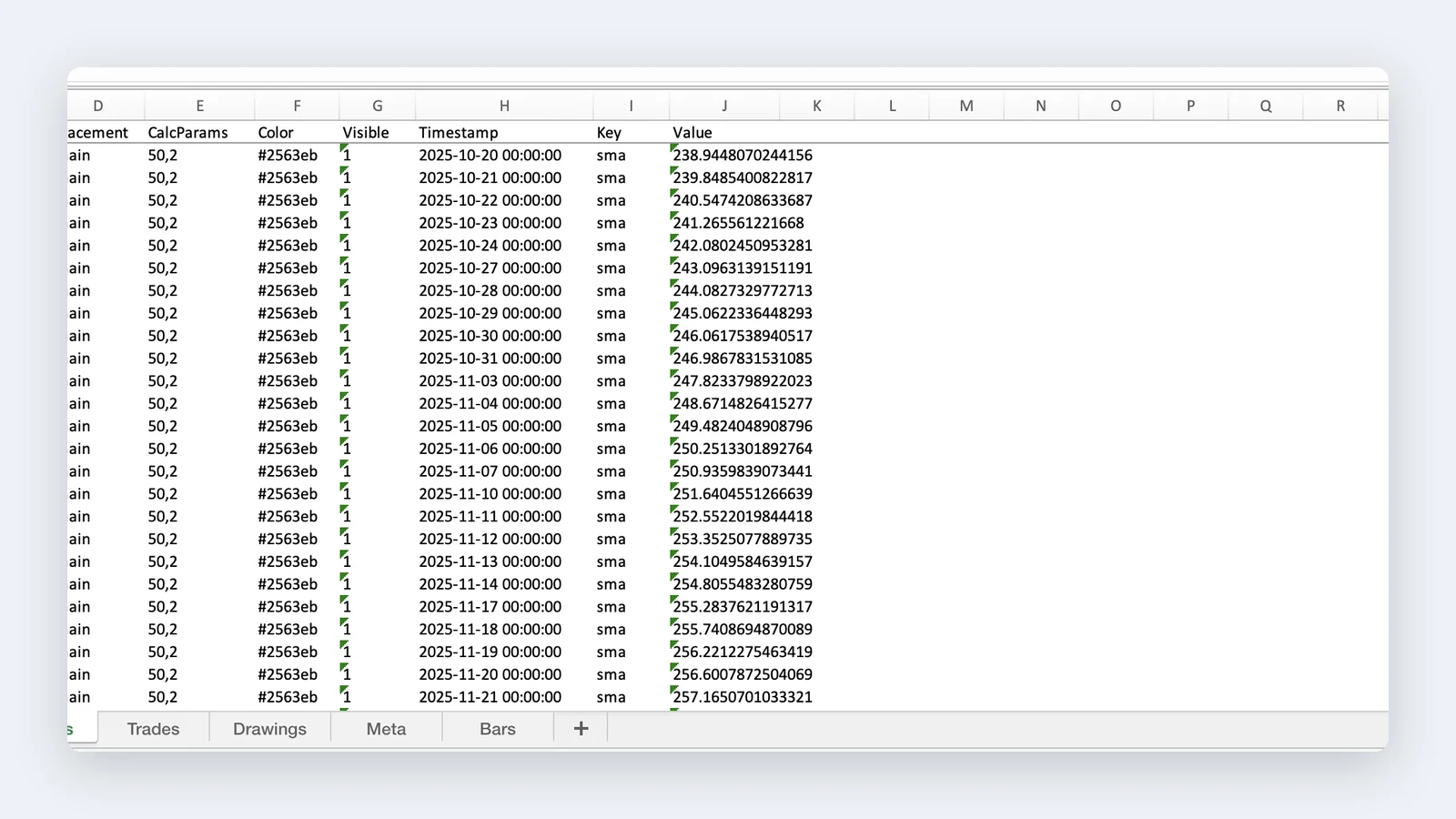
Review how chart drawings, annotations, OHLC, volume, and execution context become reusable structured data.