
Article
News for the Symbol on Your Chart, With Sources
The News tab in MyLinedChart's AI panel shows recent headlines for the symbol on your chart. Headlines from a real news source link to the article; headlines your AI supplies are labelled From your AI and carry no link. Each item has a Share button that copies or shares the headline and link with Shared from MyLinedChart. It uses the same sources as AI Headlines: your IBKR news or a news key if you have one, and otherwise a Google News search your device runs itself, so linked headlines show with nothing set up.

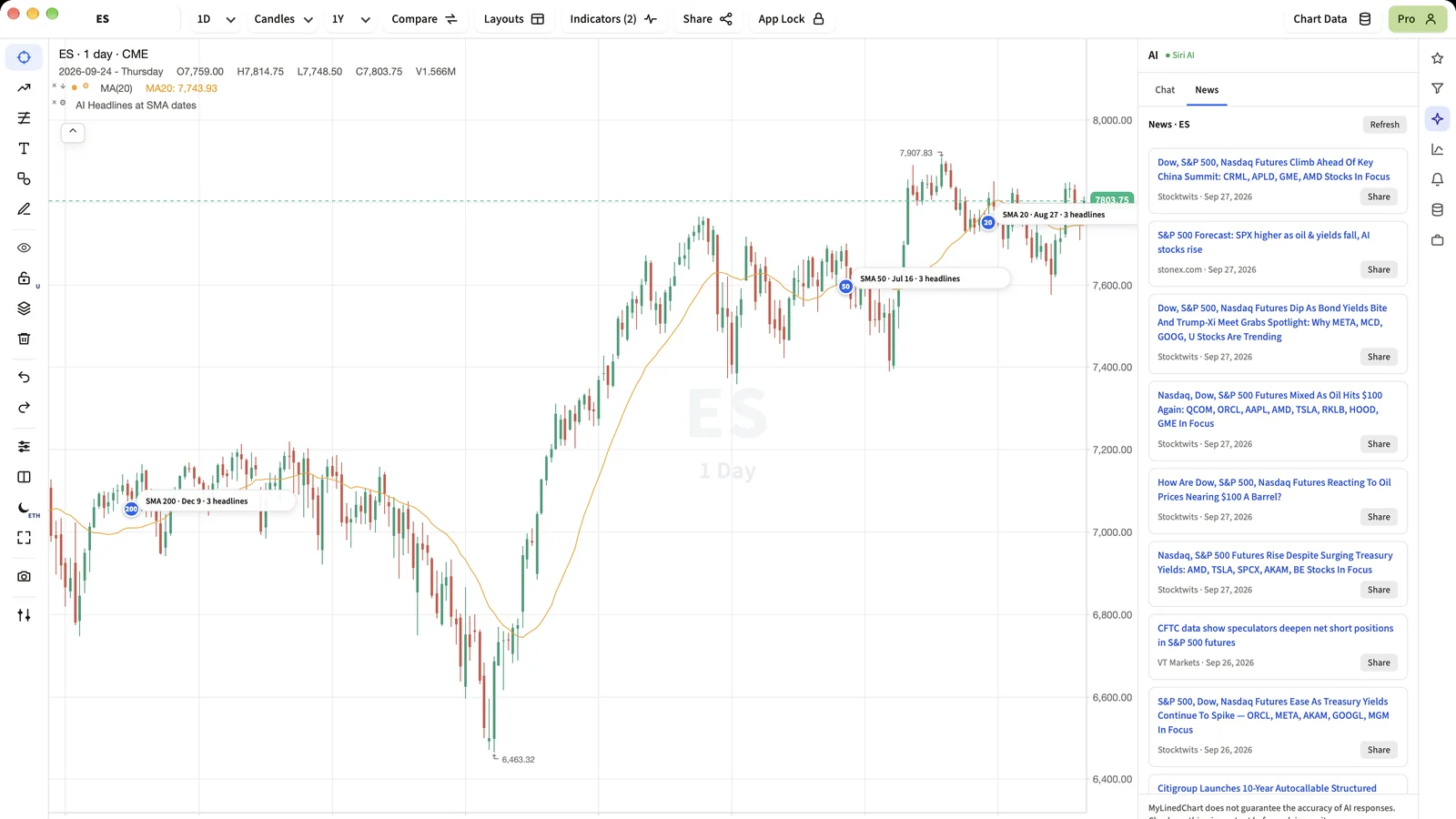
News belongs next to the price it moved. The News tab keeps recent headlines for the symbol you are looking at one tap away, with the source and a link wherever one exists.
Short Answer
Open AI, then News. You see recent headlines for the symbol you are charting, each with its source. Tap a headline to open the article, or Share to send it on.
Where headlines come from
MyLinedChart has no news feed of its own and no server in the middle. News comes from your IBKR subscriptions over the Connector first, then a news-provider key if you have one. With neither, your device runs a Google News search for the symbol itself, so real, linked headlines show out of the box. The AI you already connected is the last resort. It is the same order AI Headlines uses, so the chart and the News tab agree.
Links you can trust
- A headline from a news source links to the article at that source.
- A headline from your AI is labelled From your AI and has no link.
- The app never builds or guesses a link.
Sharing
Share copies the headline, the link and the line Shared from MyLinedChart, or opens your device's share sheet where there is one, so the people you send it to can see where it came from.
Next Step
If News is empty, connect the AI app you already use from the AI panel. It can supply headlines for the exact symbol and dates you are looking at.
FAQ
Why is there no link on some headlines?
They came from your AI, not a news source. The app only links to articles it fetched from a real source.
Do I need a paid news subscription?
No. With no subscription and no key, your device searches Google News for the symbol and shows linked headlines. IBKR news and news keys are options, not requirements.
What does Share include?
The headline, its link when it has one, and the line Shared from MyLinedChart.
Sample Structured Chart-Data Exports
Review how chart drawings, annotations, OHLC, volume, and execution context become reusable structured data.