
Article
Ask Your AI About the Chart, Inside MyLinedChart
The AI panel in MyLinedChart has a chat that answers questions about the chart you are looking at. It works three ways: the AI built into your device (Siri AI on iPhone, iPad and Mac, Gemini Nano on Android, Windows AI on Copilot+ PCs), your own AI provider key, or the AI app you already connected over the direct connection. MyLinedChart works out the numbers itself and the AI explains them, conversations are saved on your device, and a short accuracy note stays on screen in the panel.

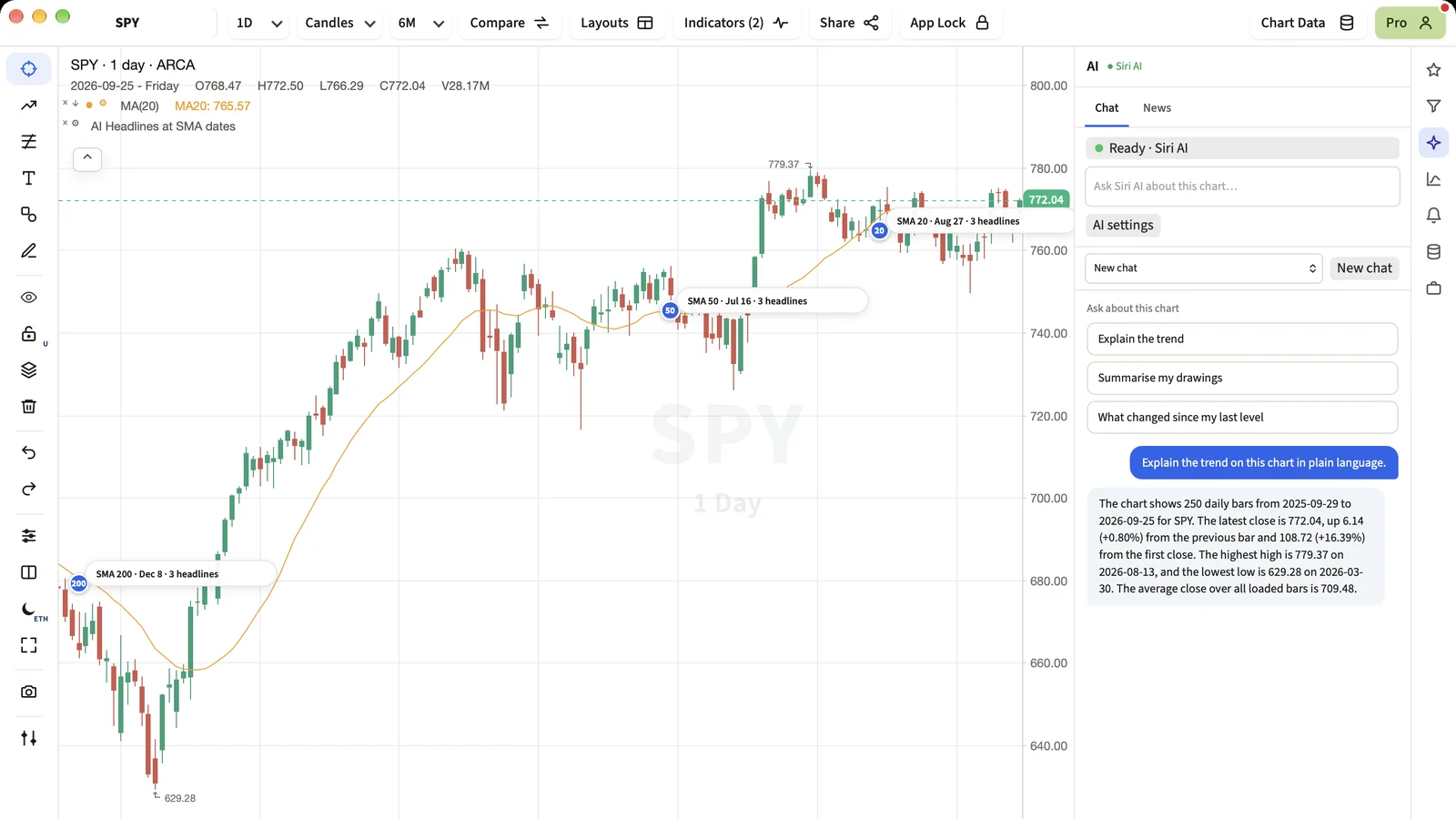
A good question about a chart is usually simple: what is the trend, what did I draw, what has happened since my last level. The chat answers those questions about the chart on your screen, using numbers the app has already worked out.
Short Answer
Open AI in the right-hand rail, pick Chat, and ask. MyLinedChart works out the numbers from the chart and your drawings, and the AI you use explains them in plain language. Your chats stay on your device.
Which AI answers
- The AI built into your device, when it has one: Siri AI on iPhone, iPad and Mac, Gemini Nano on supported Android phones and Chromebooks, Windows AI on Copilot+ PCs. No key and no account needed.
- Your own Claude, OpenAI or Gemini key, saved in your device's keychain and used directly from your device.
- The AI app you already connected over the direct connection, such as Claude Desktop, Claude Code, Codex or Cursor. The chat gives you a prompt to paste; your AI app answers into the chat, and you confirm the reply like any other change the AI makes.
Why the app does the maths
Language models are good at explaining and poor at arithmetic over hundreds of bars. So MyLinedChart computes the figures itself, from the bars and your drawings, and hands the AI a short list of exact facts. The AI's job is to explain those facts, not to calculate them.
What it will not do
- Give a buy, sell or hold opinion, a price target or a prediction.
- Place, change or cancel an order. MyLinedChart has no order function.
- Send your chart anywhere except the AI you chose. Nothing goes through a MyLinedChart server.
Next Step
Open a chart with a few of your own levels on it and try Summarise my drawings. It is the fastest way to see how the chat reads your work.
FAQ
Do I need an API key?
No. If your device has built-in AI, or you have connected an AI app, the chat works without a key. A key is one option of three.
Where are my conversations stored?
On your device only. You can keep up to 20 conversations and start a new one at any time.
Can the AI draw on my chart from the chat?
The chat explains. Drawing and indicator changes from an AI still go through the same confirmation you see for any AI change.
Sample Structured Chart-Data Exports
Review how chart drawings, annotations, OHLC, volume, and execution context become reusable structured data.