
Article
Chart Japan, Singapore, Europe Futures
Each MyLinedChart chart now keeps its own time zone, so a Japanese, Singapore or European futures contract can sit in JST, SGT or CET/CEST while your US charts stay on New York time. Opening a symbol from another market asks whether to switch that chart's time zone or keep your own; the choice is remembered per chart and survives restarts, and split screen lets you watch several markets side by side without converting hours in your head.

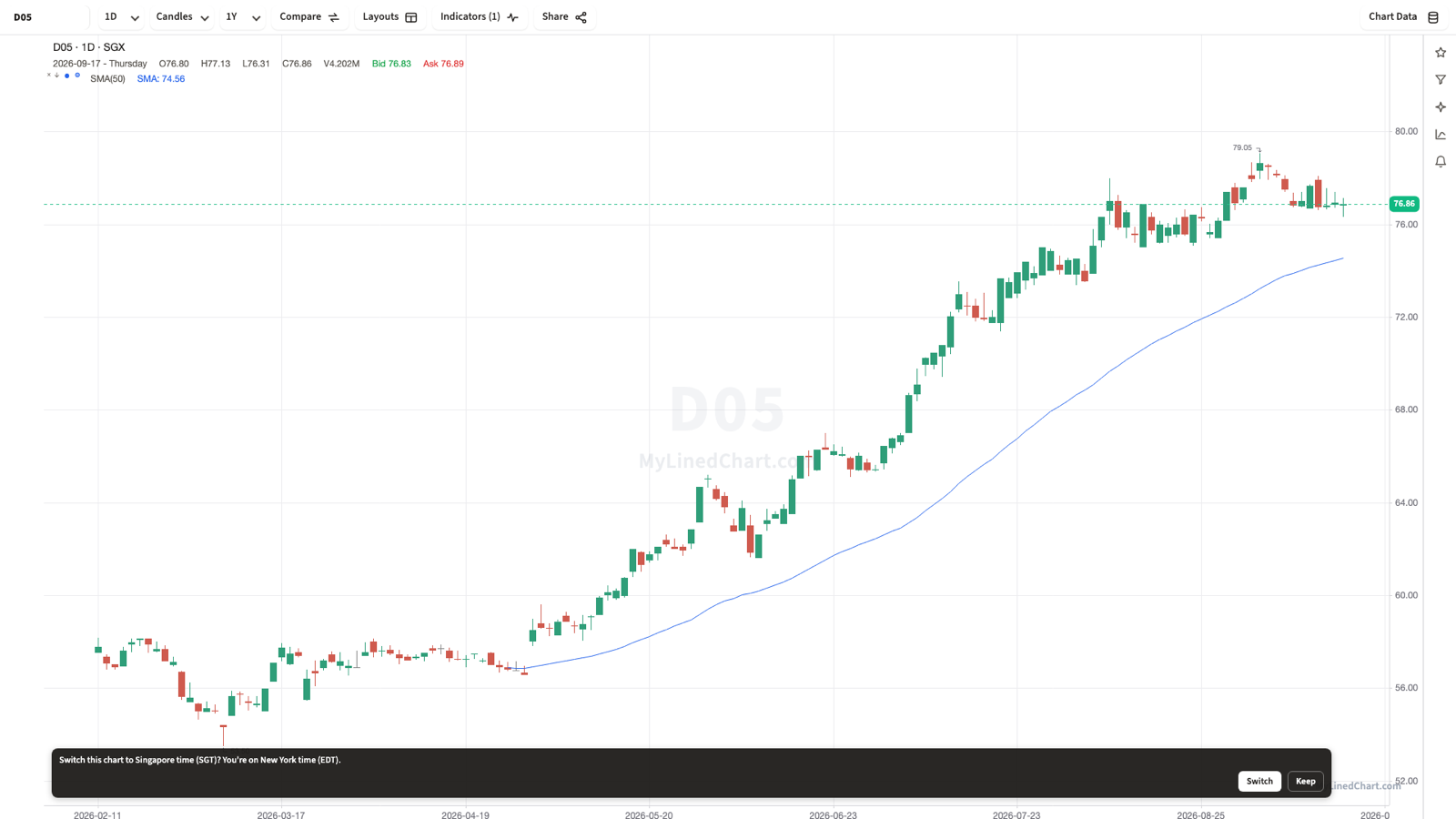
A futures session that opens at 9pm New York time gets confusing because every other chart on your screen is still labeled in New York time. MyLinedChart now lets each chart keep the time zone that actually matches its exchange.
One Chart, One Time Zone
Time zone used to be a single setting for the whole app, which meant a Tokyo futures contract and a New York stock shared the same clock even though only one of them was actually trading in it. Now every chart carries its own time zone, independent of every other chart open at the same time.
The first time you open a symbol whose home exchange sits in a different zone than your current chart, MyLinedChart asks: "Switch this chart to Japan time (JST)? You're on New York time (EDT)." Choose Switch to move that one chart, or Keep to leave it on the zone you were already using.
Whatever you pick sticks. The choice is remembered per chart and comes back the same way after you restart the app or rearrange your layout.
Four Markets, Worked Examples
All four route through the same Interactive Brokers connection as your US futures and stocks, over TWS or IB Gateway. See IBKR Futures Symbols: ES, NQ, CL and GC for how IBKR routes futures symbols to their exchange more generally.
| Market | Symbol | Exchange | Time zone |
|---|---|---|---|
| Japan | N225M | Osaka | JST |
| Singapore | SGP, e.g. SGPU26 (Sep 2026) | SGX | SGT |
| Eurozone | ESTX50 | Eurex | CET/CEST |
| Spain | IBEX | MEFF | CET/CEST |
Watching Several Markets at Once
Split screen turns this from a one-chart convenience into a session-planning tool. Put N225M in one pane and ESTX50 in another, each showing its own local time and its own session hours, and you can see at a glance which market is actually open right now rather than doing the math from a single New York clock.
Split screen works the same way whether you are pairing two international futures, or one international contract next to a US one you are also watching.
Setup
This feature runs through your existing Interactive Brokers connection, either TWS or IB Gateway, the same one used for US symbols. If you have not connected IBKR yet, IBKR Chart Workflow for Cleaner Data Routines covers the setup.
No separate account or subscription is needed beyond whatever market data permissions IBKR already requires for that exchange.
FAQ
Does switching one chart's time zone affect my other charts?
No. Time zone is set per chart. Switching one chart to JST leaves every other open chart, including US ones, on whatever zone they were already using.
Will MyLinedChart ask me every time I open an international futures symbol?
Only the first time for that chart. Once you choose Switch or Keep, the choice is remembered for that chart and survives restarts and layout changes.
What exchanges and time zones does this cover?
Worked examples include N225M on Osaka in JST, MSCI Singapore futures like SGPU26 on SGX in SGT, ESTX50 on Eurex in CET/CEST, and IBEX on MEFF in CET/CEST, all through your IBKR connection.
Do I need a separate data connection for each market's time zone?
No, one Interactive Brokers connection through TWS or IB Gateway covers all of them, the same way it already covers your US symbols.
Sample Structured Chart-Data Exports
Review how chart drawings, annotations, OHLC, volume, and execution context become reusable structured data.